
Building Production-Ready AI Agents
A practical checklist for moving an AI agent from a convincing demo to a system you can operate: scope, tools, evaluation, observability, and safe failure.
Sample article. This is illustrative placeholder content. It is not company research, a case study, or a report of customer experience.
Sample article. This is illustrative placeholder content. It is not company research or a report of customer experience.
A demo agent only has to work once. A production agent has to work on the thousandth input, on the day a model version changes, and when a downstream API is slow. This article outlines the engineering concerns that separate the two.
1. Start with a narrow job definition
Write the job as a testable statement: what inputs the agent receives, what it may do, and what a correct outcome looks like. Broad goals such as “help with support” are hard to evaluate. “Classify a ticket and draft a reply from approved articles” is not.
2. Treat tools as an API surface
Every tool an agent can call is part of its attack surface and its failure surface. Give each tool:
- A strict input schema and validated outputs
- The least privilege needed for its task
- Timeouts, retries, and idempotency keys for anything that writes
from pydantic import BaseModel, Field

class RefundRequest(BaseModel):
    order_id: str = Field(pattern=r"^ORD-\d{6}$")
    amount_cents: int = Field(gt=0, le=50_000)
    reason: str = Field(max_length=500)

def issue_refund(req: RefundRequest, *, idempotency_key: str) -> dict:
    # Anything above the policy limit is routed to a person, not executed.
    ...
3. Decide where humans stay in the loop
Not every action deserves the same trust. A simple policy table makes the decision explicit and reviewable:
| Action type | Example | Default handling |
|---|---|---|
| Read-only | Look up an order | Automatic |
| Reversible write | Add an internal note | Automatic, logged |
| Customer-visible | Send a reply | Review until quality is established |
| Irreversible or financial | Issue a refund | Human approval required |
4. Evaluate before every release
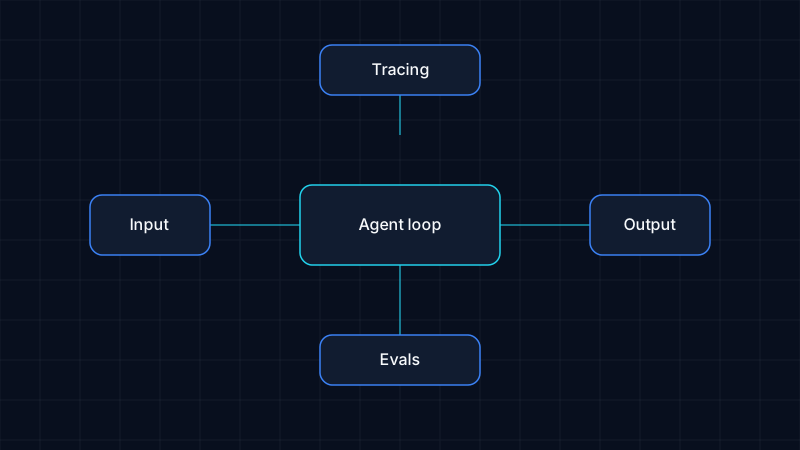
Build a fixed set of realistic cases, including awkward ones, and run it whenever a prompt, model, or tool changes. Combine automated checks (schema validity, tool-call correctness) with periodic human review of sampled outputs.
5. Make behaviour observable
Capture a trace of each run: model calls, tool calls, intermediate decisions, latency, and cost. When something goes wrong you need to answer why this answer without guessing.
6. Fail safely
Define what happens when the model is unavailable, a tool errors, or confidence is low. The safe default is usually to stop, record the state, and hand off to a person.
Where to go next
If you are comparing approaches, see AI Agents vs Traditional Automation. For workflows with several agents, read Designing Reliable Multi-Agent Systems. Our services page describes how we support this work.
Related articles
Designing Reliable Multi-Agent Systems
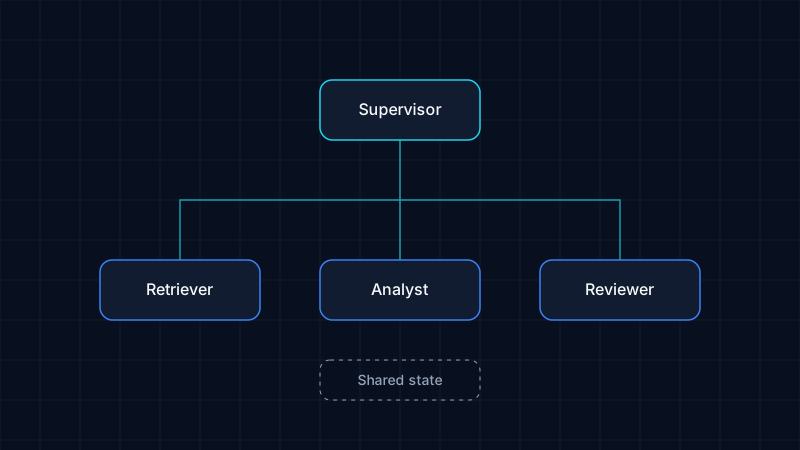
Design principles for systems with several cooperating agents: explicit roles, typed shared state, bounded loops, and traceable hand-offs.
Sample article
AI Agents vs Traditional Automation
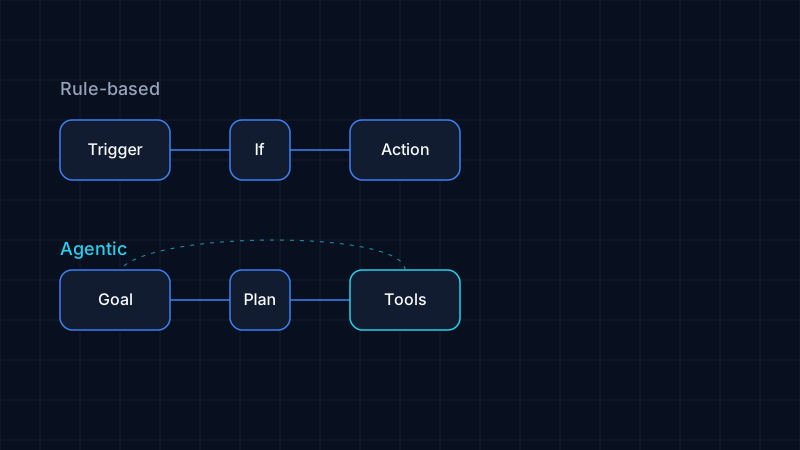
When rules and scripts are the right tool, when an agent earns its added complexity, and why most real systems combine both.
Sample article